For dyslexic & ADHD readers
Long articles are hard. We break them into steps you can actually finish.
Paste a link or open any page in your browser. TLDR pulls out the main story, puts it in plain words, and shows you one short slide at a time. No endless scrolling. No wall of text.
There's also a browser extension — click the icon on any article and start reading.
Bonnie Tyler tour dates announced
Tyler will play 15 UK cities starting in September. Tickets go on sale next Friday.
What it does
You find an article you want to read — maybe in Chrome, maybe copied from an email. TLDR strips away the ads and sidebars, rewrites the important bits in simpler language, and puts them on a calm full-screen reader.
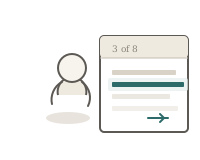
Each slide is just a few sentences. You tap or press space when you're ready for the next one. Big type, lots of breathing room, and optional dyslexia-friendly formatting if you want it.
Ways to use it
However you like to read — extension, web app, or both. Same calm reader either way.

Browser extension
On any article page, click the TLDR icon. It simplifies the page and opens the reader right there — you never leave the site.

Paste into the web app
Got text from an email or PDF? Paste it at tldr.webnitix.com/app. Same reader, same saved history.

Pick up where you left off
Everything you simplify gets saved. Star your favourites, filter by topic, and reopen any article in the same slide reader.
Reading options
Bionic text and word highlighting are built in — tuned for dyslexic and ADHD readers, not bolted on as an afterthought. Bring your own API key (OpenAI, Anthropic, and others) so you stay in control of cost.
About ads
I hate ads too. TLDR strips clutter from the original article page — sidebars, pop-ups, the usual noise. In the reader we show a few small ads to cover hosting and development. I hate paywalls more, so full access stays free. The ads only pay for running the site — not to lock anyone out.
Getting started
Four steps — takes about two minutes.
-
Create an account Free. Just email and a password.
-
Add your API key OpenAI or Anthropic works great. It's encrypted on our end; you pay the provider directly.
-
Read something Click the extension on a web page, or paste text into the app. Arrow keys and space work in the reader.
-
Come back anytime Your history keeps every simplification. Open one and read through again whenever you like.
If you usually give up halfway through a long article, this is for you.